Modern auto repair shop customers expect the same level of digital convenience they get from companies like Amazon, Uber, and DoorDash. If your shop is still relying solely on phone calls, whiteboards, and paper calendars to book service appointments, you aren’t just creating extra work for your service advisors you are actively losing revenue.
Choosing the best auto repair scheduling software is about more than just putting names on a calendar. It’s about implementing a system that maximizes your bay efficiency, elevates the customer experience, and ultimately drives more profit.
In this guide, we will break down why you need an automated scheduler, the exact features you should look for, and the top automotive scheduling software options on the market today.
Why Does My Shop Need Automotive Scheduling Software?
Relying on outdated booking methods leads to double-booked bays, mismanaged technician schedules, and forgotten appointments. Upgrading to a digital mechanic scheduling system offers immediate benefits:
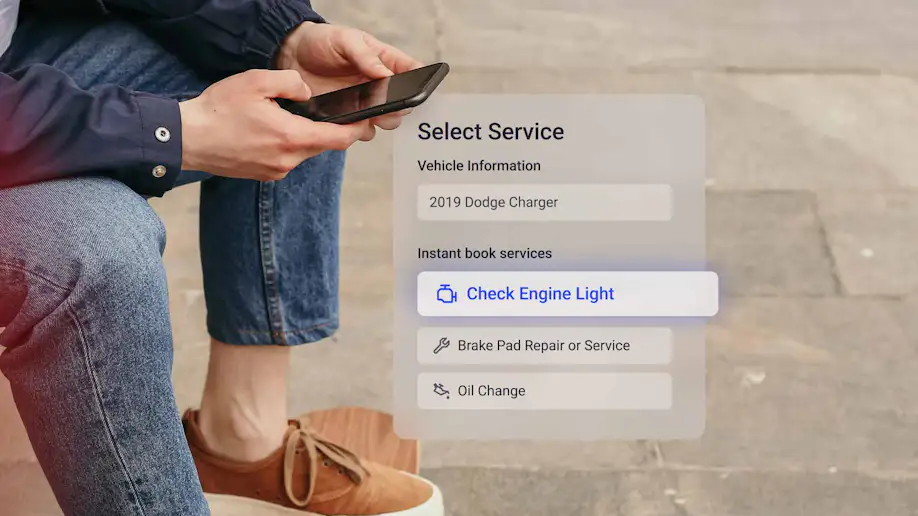
24/7 Appointment Booking: Customers don't always experience car trouble during business hours. A digital scheduler allows customers to request or book appointments online after hours or over the weekend, keeping your bays full without requiring staff intervention.
Reduced No-Shows: Automated SMS and email reminders drastically reduce the number of customers who forget their appointments.
Improved Shop Efficiency: Instead of walking across the shop to check status updates, all employees can view a real-time digital dashboard. This leads to fewer mistakes and more accurate time estimates for customers.
Enhanced Customer Experience: Giving your customers a frictionless way to book, confirm, and modify appointments builds trust before they even step foot in your shop.
Top Features to Look for in Mechanic Scheduling Software
Not all scheduling tools are created equal. When evaluating software for your auto repair business, keep an eye out for these essential features:
1. Cloud-Based Access
You can't always be tied to the front desk. Cloud-based scheduling software ensures that you can check your shop's schedule, approve repairs, and monitor bay activity from your smartphone or home computer. It also allows your system to scale seamlessly if you open a second or third location.
2. Seamless Integrations
Your scheduling tool needs to talk to the rest of your business. The best software either offers an "all-in-one" management system or integrates flawlessly with the tools you already use for parts ordering, accounting (like QuickBooks), and CRM.
3. Modern Customer Communication
Look for a scheduler that supports two-way texting. Consumers overwhelmingly prefer text updates over phone calls. Additionally, integrating your scheduling with features like Digital Vehicle Inspections (DVIs) and Text-to-Pay creates a seamless, end-to-end digital loop for the customer.
4. Trackable Repair Notes & Customer Preferences
Every vehicle—and every customer—is unique. A robust auto shop scheduling app allows service advisors to keep track of a customer’s preferred drop-off times, specific vehicle quirks, and previously declined services so you can personalize their experience and automatically suggest follow-up work.
The Top 5 Auto Repair Scheduling Software Options
Here is a breakdown of the best automotive service scheduling software available today, based on features, scalability, and ease of use.
1. Shopmonkey
Shopmonkey automotive scheduling software is a premium, all-in-one, cloud-based shop management system that boasts an incredibly intuitive user interface. It is purposefully designed to help shops ditch paper entirely and modernize their workflows.
Best For: Modern shops that prioritize a clean, easy-to-use digital interface for both technicians and service advisors.
Key Features: Drag-and-drop workflow scheduling, automated appointment confirmations and reminders, quick digital estimates, and deep QuickBooks integration.
2. AutoOps
AutoOps is a highly specialized online scheduling tool designed to integrate seamlessly with the existing software you already use to run your shop. It acts as an intelligent front-end, allowing customers to book real-time appointments based on your actual shop capacity.
Best For: Established shops that already love their current management system but desperately need a modern, high-converting online booking upgrade.
Key Features: Advanced capacity-based routing, automatic upselling for previously declined work, and a direct "Book Online" integration for Google Business Profiles.
3. GaragePlug
GaragePlug is a cloud-based, next-generation auto repair software that heavily emphasizes a premium digital experience for the customer. It seamlessly bridges the gap between booking, customer communication, and invoicing.
Best For: Multi-brand service centers, detailing businesses, and independent operations that want a highly modern, paperless workflow.
Key Features: Beautiful online booking interfaces, barcode scanning, robust service reminders, and highly visual digital vehicle inspection tools.
4. RepairShopr
RepairShopr is an incredibly versatile management and scheduling platform built to handle the entire lifecycle of a repair, from the initial booking request to the final paid invoice.
Best For: Independent operations that need strong CRM tools and customized ticketing workflows alongside their scheduling.
Key Features: Integrated online booking widgets for your website, automated marketing and follow-ups, robust CRM features, and flexible ticketing.
5. AutoFluent
AutoFluent is an incredibly robust, deeply detailed management system built for high-volume shops. While its interface is slightly more traditional, its scheduling and inventory management capabilities are incredibly powerful.
Best For: High-volume tire shops, heavy-duty repair centers, and multi-store operations with complex scheduling and inventory needs.
Key Features: Multi-location schedule syncing, deep tire and parts inventory tracking, specialized bay scheduling, and detailed profitability reporting.
Fine-Tuning Your Shop’s Scheduling Process
Implementing the software is only step one. To truly maximize your revenue and keep your bays turning, you need to fine-tune your workflows:
Pace Your Intake: Don't let all your drop-offs happen at 8:00 AM. Use your software's capacity settings to stagger drop-off times so your service advisors can give each customer dedicated attention.
Leverage Automations: Let the software do the heavy lifting. Set up your system to automatically text a reminder 24 hours before an appointment, and send a review request 24 hours after a paid invoice.
Analyze Bay Efficiency: Regularly review your software’s reporting tools to see how long certain jobs actually take versus the scheduled time. Adjust your booking parameters accordingly to prevent technician burnout and keep profit margins high.
Final Thoughts
The shift to digital auto repair scheduling software is no longer an optional upgrade—it is a baseline requirement for shops that want to thrive in 2026 and beyond. By eliminating manual booking errors, empowering customers to book online, and streamlining communication, you free up your team to focus on what they do best: fixing cars and building relationships.
Evaluate your shop's current size, budget, and pain points, and choose a software solution that will scale with your ambitions.